
AI Action
Return’s AI doesn’t just find problems - it helps you fix them. When a fragment of your document is flagged, AI Action turns that flag into a concrete rewrite you can accept in one step.
Where it starts: a flag
Two kinds of marks can trigger an AI Action, and both appear in the gutter, the narrow strip to the left of your text, as a small dot:
- A Traffic Light assessment - a red, yellow, or green judgment the AI (or a Return) placed on a fragment, with a note explaining the concern.
- An annotation - a passage you or the AI highlighted, optionally with a note.
Each marker gets its own dot. A line with several marks shows several dots; a very crowded line collapses the extras into a small “+N” you can click to pick from a list.
From flag to fix
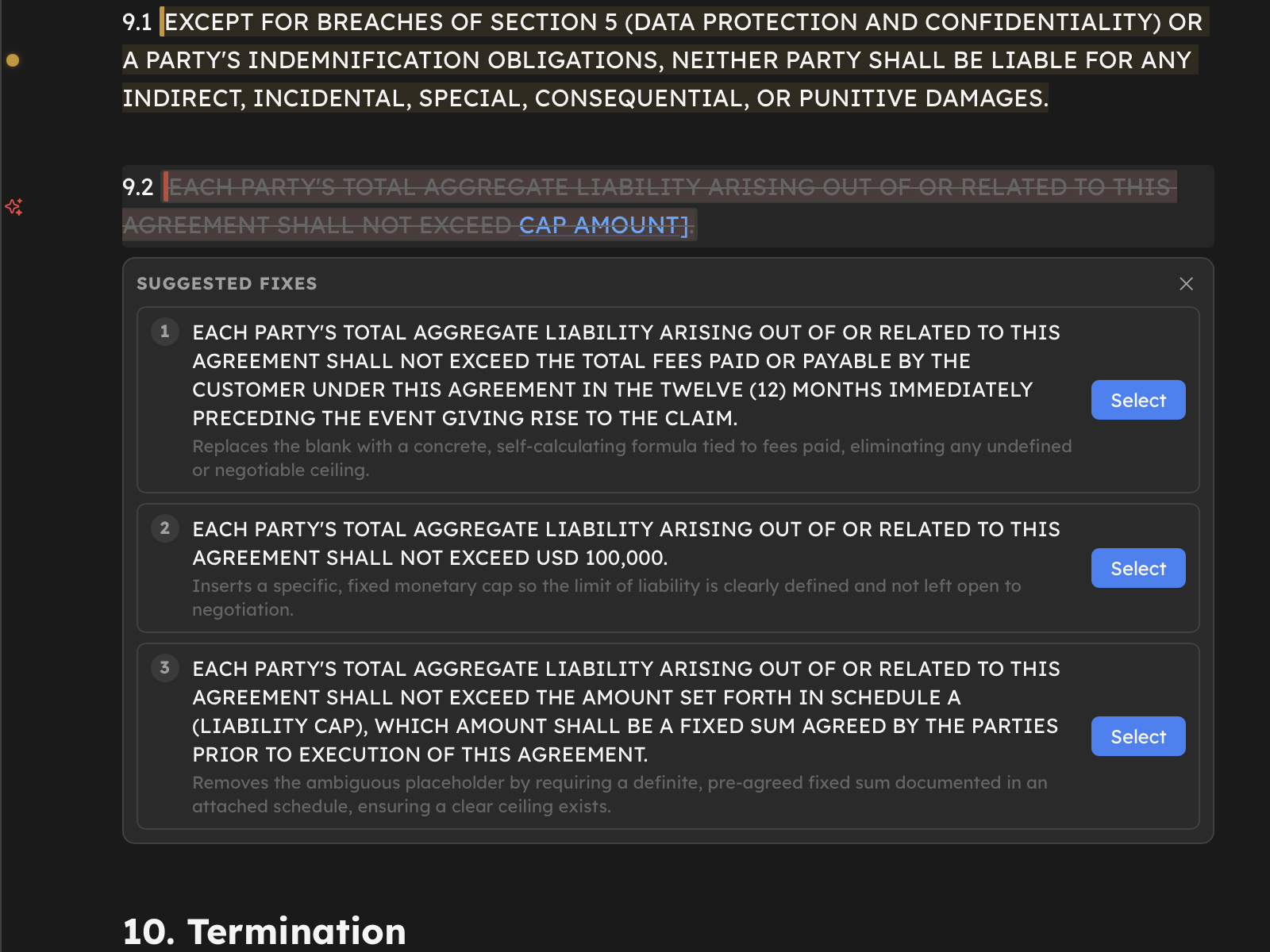
Hover a marker’s text or its dot and the dot offers an action. Click it, and Return sends the flagged fragment plus the relevant rule to the model and asks for three drop-in rewrites, best first.
What counts as “the rule” depends on the mark:
- For an assessment, the reviewer’s note is the rule - the model rewrites the fragment to resolve that specific concern.
- For an annotation with a note, your note is the instruction.
- For an annotation without a note, Return asks what you want first: type a short instruction (“make this more formal”, “remove the indemnity”, “tighten to one sentence”) and it becomes the rule.
The three suggestions appear right under the fragment, with the original struck through above them, so you read the change in place. Each carries a one-line rationale for how it resolves the flag.
No flag? Start from a selection
You don’t need a mark to use AI Action. Select any text and click the wand in the floating toolbar - type a short instruction and you get the same three in-place rewrites for exactly that selection.
 wand in the floating toolbar - type a short instruction and you get the same three in-place rewrites for exactly that selection.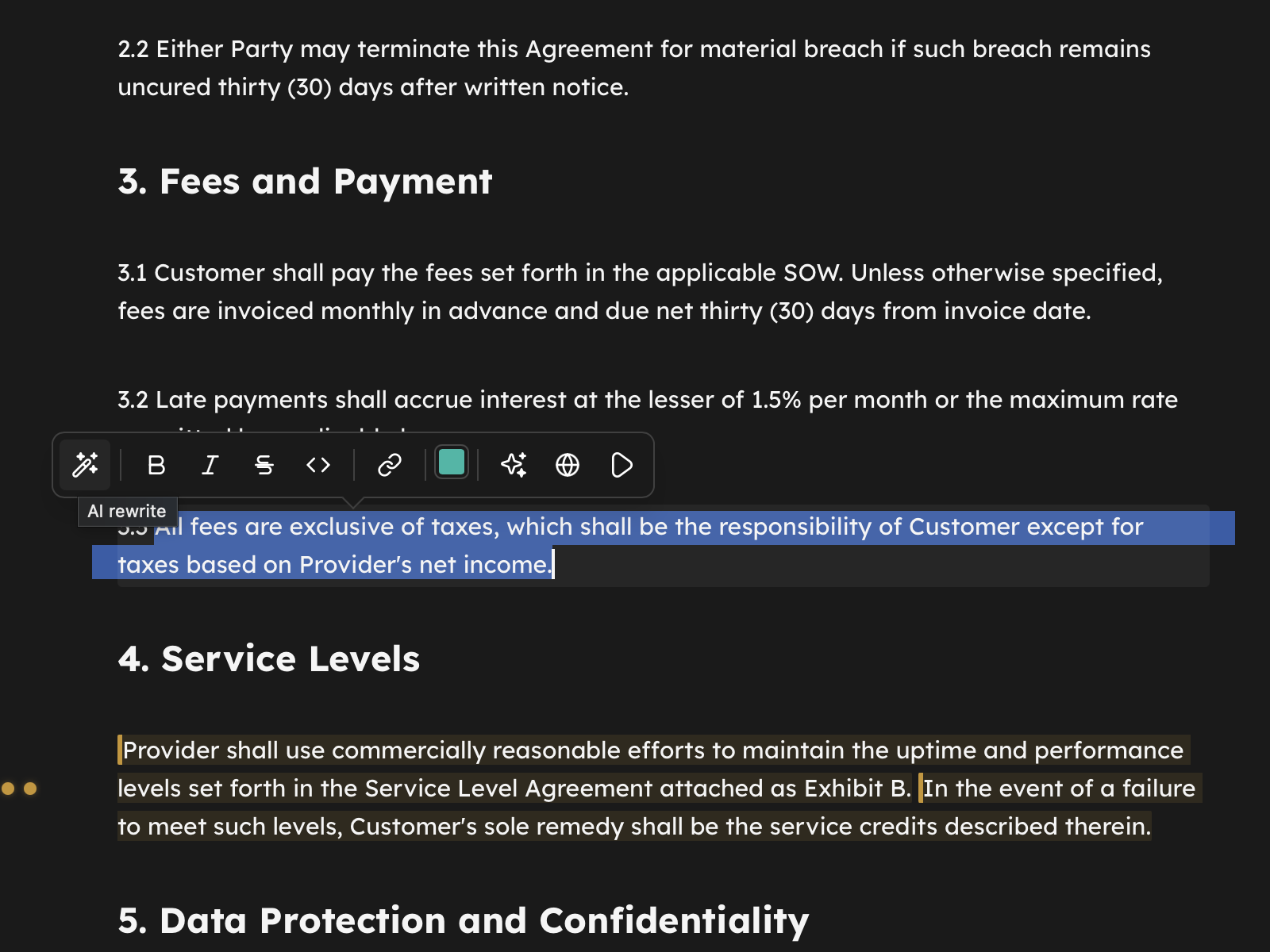
You decide - nothing changes until you do
Pick the suggestion you want - click it, or press 1-3 when the suggestion stack has focus. It replaces the fragment in a single step, as one undoable edit, and the flag clears. Don’t like any of them? Press Escape and the original text, and its flag, stay exactly as they were.
This is deliberate: the document never changes until you choose. The in-place preview is the gate - there is no separate “apply” that could surprise you. (See AI Providers for why that matters when you’re using cloud AI.)
Fix, then verify
A good loop is flag → fix → verify:
- Run a risk assessment, or place your own annotations.
- Work the flags with AI Action, picking the rewrite that fits.
- Re-run the assessment. Fragments you fixed should no longer flag - that’s your confirmation, not just a promise.
Local or cloud
AI Action works the same whether you’re on the local engine or cloud AI. On a paid plan, each set of suggestions is one action (one model call); on the local engine it’s unlimited and never leaves your machine. Either way, the rewrite stays in the language of the fragment - an English clause comes back in English.
Good to know
- Suggestions match the fragment’s language, not the note’s. A note written in one language won’t translate your clause into another.
- The rewrite is a drop-in replacement - just the fragment, nothing around it - so it slots straight back into the sentence.
- Edited the fragment while suggestions were open? Return notices and asks you to reopen, rather than apply a rewrite of text that no longer exists.