
Placeholders
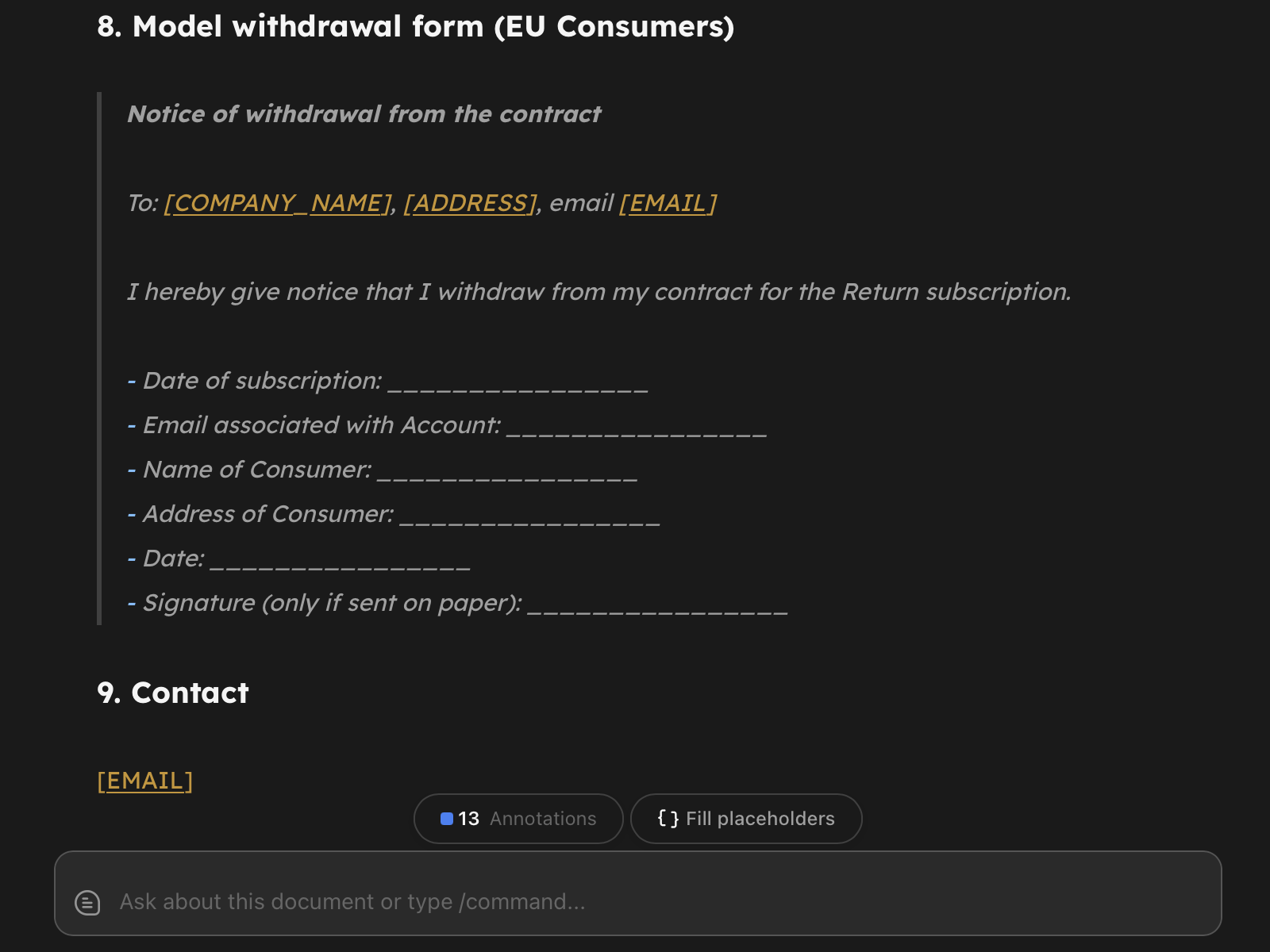
Placeholders let you turn a document into a reusable template. Mark a spot with {{NAME}} or [NAME], and Return will detect it, show a Fill placeholders pill in the editor, and let you generate a filled copy in one click - without touching the source.
Syntax
Two formats are recognized:
{{CLIENT_NAME}}- Handlebars-style. Recommended for new templates because it matches Return’s Returns system (so the same template can be reused later by AI-powered Returns).[CLIENT_NAME]- square-bracket style. Useful when migrating templates from Microsoft Word, where this convention is common.
Both are equivalent. Names must be UPPERCASE letters, digits, and underscores, and start with a letter. That heuristic is what lets [link](https://...) and [see art. 5] keep behaving as ordinary markdown - only ALL-CAPS bracketed words are treated as placeholders.
You can mix both styles in one document; Return groups them by name so {{CLIENT}} and [CLIENT] in the same file count as a single field.
Type hints (optional)
Append :date to a name to render a date picker instead of a plain text input:
{{DATE_SIGNED:date}}- renders a date picker
That’s the only hint with a dedicated input in v1. The parser accepts other lowercase suffixes (:money, :number, :choice) so existing templates won’t break when richer pickers land later, but today they fall back to a plain text input.
Without any hint, every placeholder is a plain text input.
Filling
When the document contains at least one placeholder, a small Fill placeholders pill appears in the editor’s bottom-right hover row. Click it (or press Cmd/Ctrl + Shift + P) to open the fill modal.
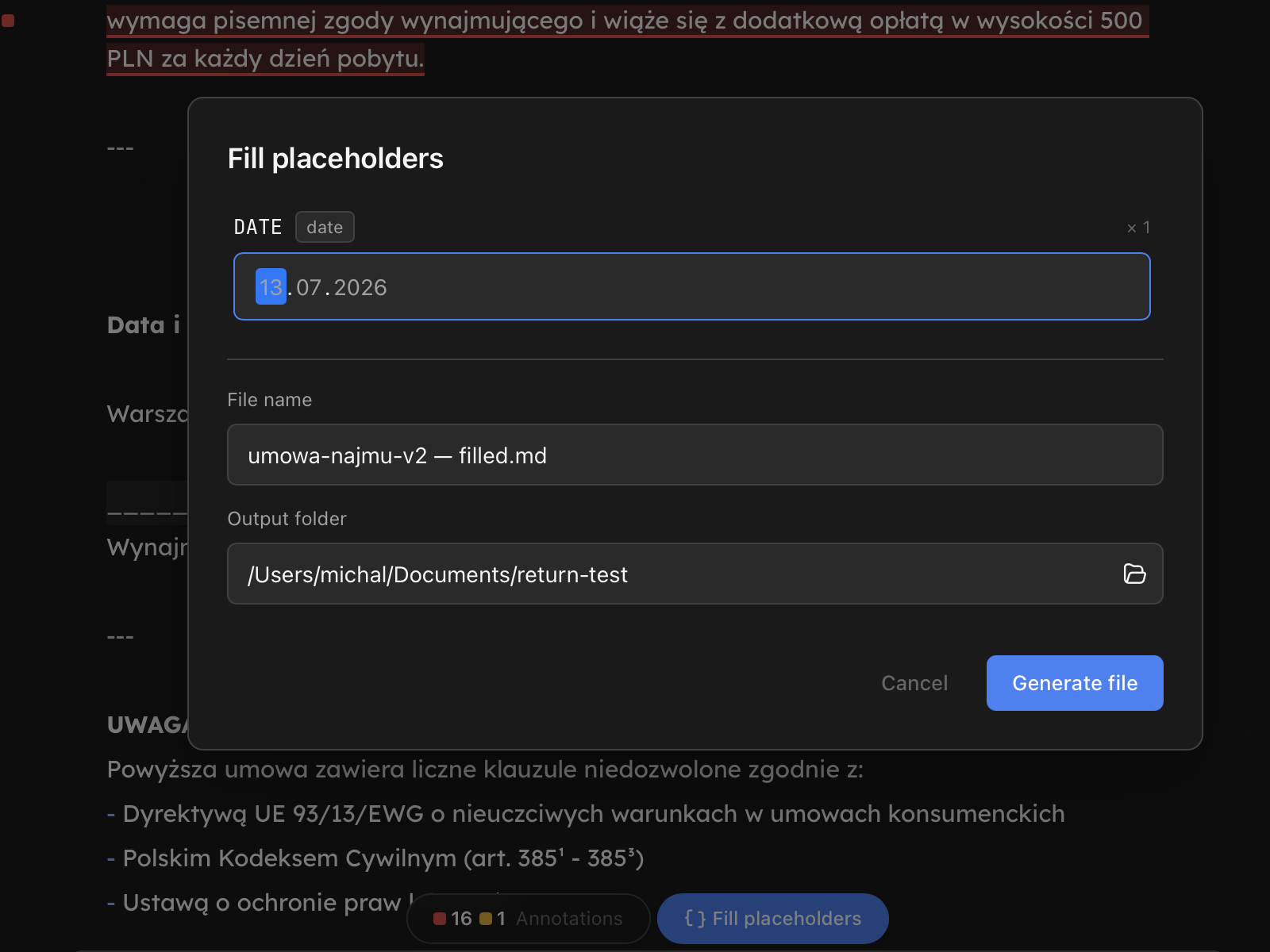
- Each unique placeholder shows once, with
× Nnext to its name when it occurs more than once. - Fill any subset of fields. Unfilled placeholders are kept in the output file in their original form - they’re not silently wiped to empty strings.
- The file name input accepts placeholder syntax too. A template named
contract.mdcan produceContract - Jane Doe.mdif you typeContract - {{CLIENT_NAME}}.mdand fillCLIENT_NAME: Jane Doe. The preview under the input shows the resolved name live. - The output folder input defaults to the source’s folder; pick another from the workspace dropdown if you want.
What happens on generate
Click Generate file. Return:
- Reads the source text in memory (the source file is never modified).
- Substitutes every filled placeholder, preserving the original
{{}}or[]format at each occurrence. - Writes a new markdown file to the chosen folder.
- Opens the new file as a tab in the editor.
If the target filename already exists, generation fails with an error - Return never overwrites an existing file. Rename the output and try again.
Empty placeholders
If you click generate while one or more placeholders are still blank, Return asks for confirmation: “N placeholders are empty. Generate the file anyway?”. Choosing Generate with empty produces a file with the blank placeholders left intact in their original syntax - you can come back to fill them later.
Best practices
- For new templates, prefer
{{NAME}}over[NAME]- it composes with Returns later. - For templates imported from Word, the bracket form keeps working out of the box; you don’t have to migrate.
- Avoid placing placeholders inside fenced code blocks unless you really mean it. The parser still substitutes them, but the visual highlighter is intentionally quiet there so they’re easy to miss.
Limits
- Placeholder system works on plain text - PDFs and DOCX files aren’t supported yet.
- No nested or recursive placeholders. A filled value containing
{{B}}is inserted literally;{{B}}is not re-expanded. - CSV batch fill and AI-powered fill are planned; not available in v1.