Composing Returns
A Return is a reusable AI prompt template. You can combine several Returns into a Chain - a single Quick Action that runs them in sequence as separate LLM calls. The model’s response from step N becomes the content of step N+1, and the user fills in one form covering the variables every step needs.
Creating and editing Returns
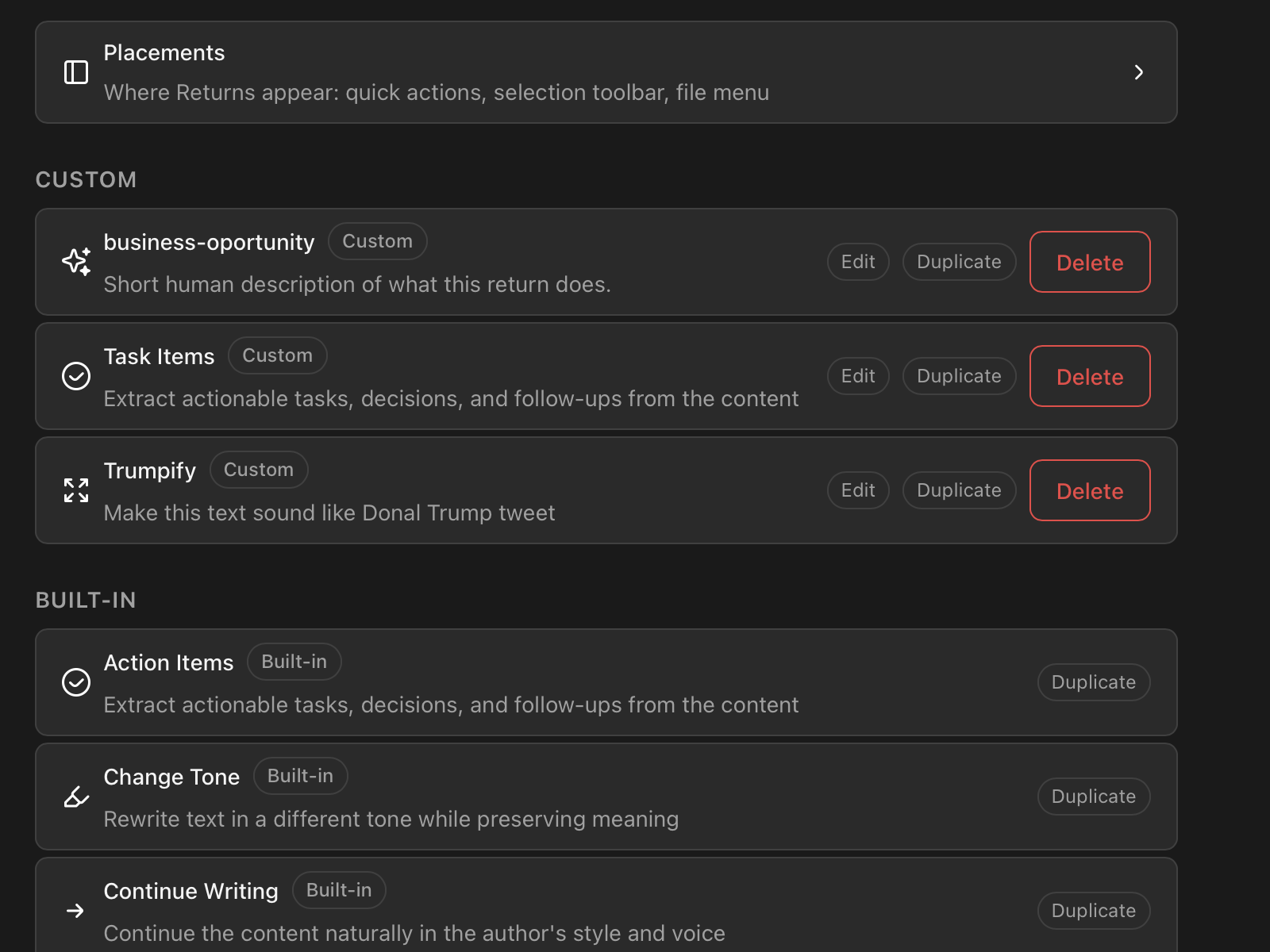
Returns are created and edited in Settings → Returns. Every Return is listed there - duplicate a built-in to make it yours, or create a new one from scratch. The editor gives you a form for the name, icon, variables, and output type, plus a template field with AI help to draft the prompt and clickable chips for everything the template can reference.
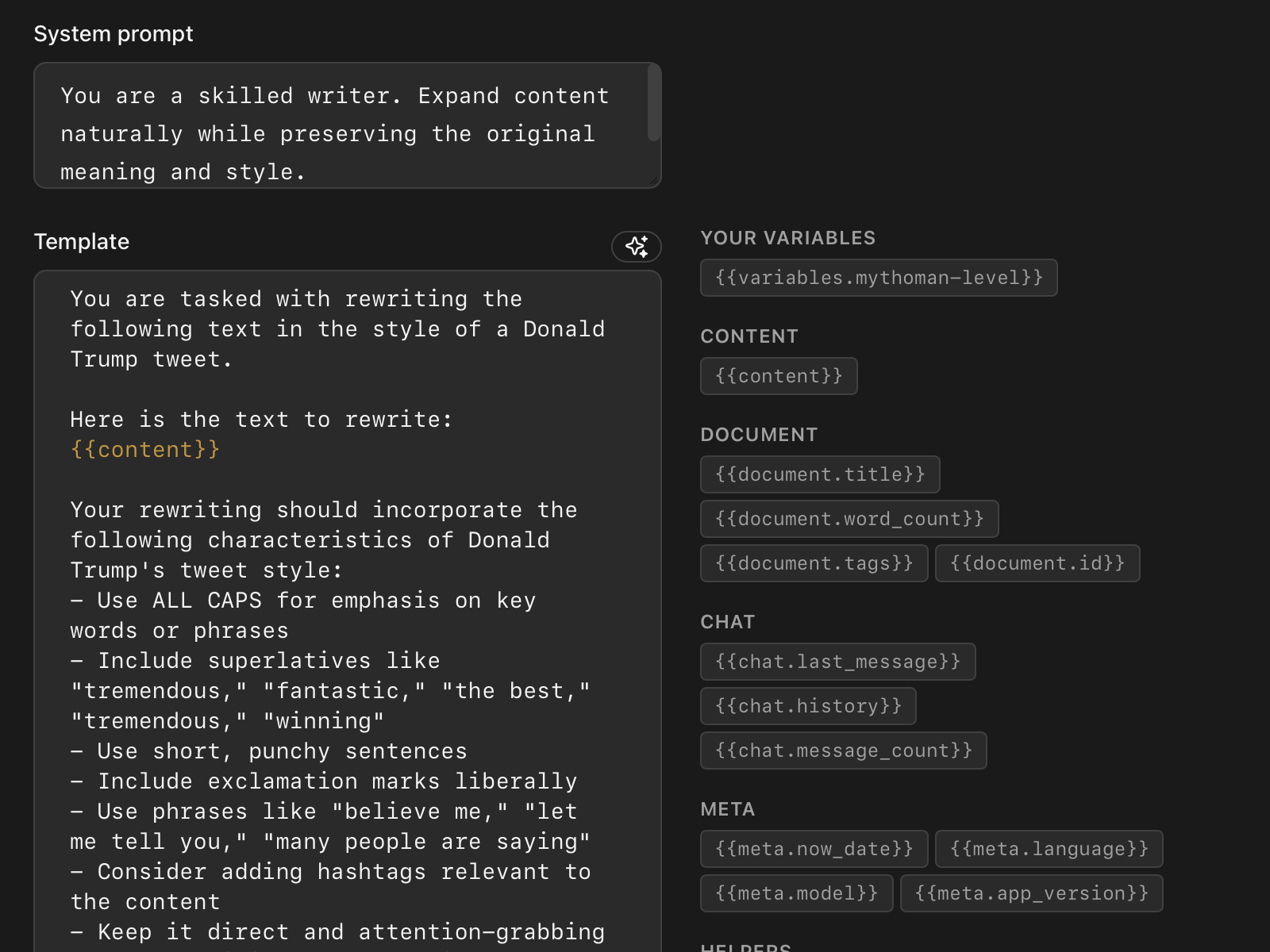
For advanced users: each custom Return is a plain YAML file on disk, in Return’s application data folder. The Settings editor and the file are two views of the same thing - if you prefer, edit the YAML by hand. The rest of this article shows Returns in their YAML form, because that’s where a Chain is defined.
When to use a Chain
Reach for a Chain when you find yourself running two or three Returns in succession on the same document. Common shapes:
- Extract → translate. Pull key points, then translate them to a target language. Both steps are existing Returns; the Chain glues them together.
- Analyse → summarise. Run a deep analysis pass, then condense the result for sharing.
- Tag → format. Generate tags for a document, then format them as a YAML frontmatter block.
If you only ever run two Returns separately and copy/paste between them, a Chain saves the round-trip and lets you commit to a repeatable workflow.
Syntax
A Chain Return is just a Return whose template uses the {{chain ...}} helper:
id: analyze-and-translate
name: Extract & Translate
output:
  type: text
template: |
  {{chain "extract-key-points" "translate"}}
That’s the whole composition. Each string argument is the id of another Return - the steps run left to right.
How content flows
Each step is a separate LLM call. The model’s response from step N becomes the content of step N+1’s prompt.
So the Chain above does this:
extract-key-pointsruns on the document. The LLM returns a numbered list of key points.translateruns on that list. Itscontentis now the LLM output from step 1. The LLM returns the translated list.- The final translated list is what the user sees.
You don’t manually wire the connection - Return does it for you.
How variables flow
When you click a Chain Return, you see one modal with the union of variables every step needs. The form is built from the variables: blocks declared on each step Return.
If two steps both declare a variable named formality with the same type and options, the modal shows one field - its value flows to both steps. If the two steps declare it with different option sets, the modal shows two fields, each labelled with its step.
You don’t redeclare variables on the Chain Return itself, and you don’t manually forward them - name-matching does the work. If you later add a new variable to one of the step Returns, the Chain’s modal automatically gains the field on next reload.
Per-step parameters and streaming
Each step uses its own params: block - temperature, mode (fast/quality), max_tokens. So a chain can mix a fast extraction with a high-quality translation, and each LLM call honours the step’s own configuration. (temperature applies to local models only - cloud models manage their own sampling, so the setting is ignored in cloud mode.)
While the chain runs you’ll see a “Step N of M” progress indicator. Streaming output (in cloud mode) only kicks in on the final step - earlier steps run silently, since their output is intermediate. If you cancel mid-chain, all step outputs are discarded; partial results aren’t shown.
Authoring tips
Declare what your template references. If your template reads {{variables.style}}, declare style in the Return’s variables: block - even if you expect the value to come from a Chain caller. Returns that reference undeclared variables get a red badge in the Returns list and can’t be invoked until the issue is fixed.
Name shared variables consistently. Two steps that mean the same thing by tone should both declare tone with the same type and option set. The dedup rule rewards consistent naming and surfaces inconsistency as separate fields.
Keep step Returns useful on their own. A step Return is just a regular Return - you should still be able to invoke it directly when that’s what you want. Compose them into Chains as a convenience layer, not as the only way to use them.
Common pitfalls
- A Chain that calls itself.
{{chain "self"}}inside a Return whose own id isselfis a cycle. Cycles are caught when you click the Quick Action - you’ll see an error toast naming the offending id stack. Fix by removing the self-reference. - A step that doesn’t exist. If a Chain references a Return that’s been deleted or renamed, you’ll see an error at invocation time. The badge doesn’t catch this (it’s a runtime concern) - the toast does.
- An undeclared template variable. A Return whose template reads
{{variables.foo}}without declaringfooshows a red badge. The fix is in the Return’s YAML, not the Chain’s.
Worked example
The bundled Extract & Translate Return is a working two-step Chain. Its template, in full:
template: |
  {{chain "extract-key-points" "translate"}}
When you click it on a document, the modal shows three fields: max-points (from extract-key-points), target-language and formality (from translate). You fill them in once. The Chain runs two LLM calls in sequence, first extracting the points in their original language, then translating them, and shows the final translated list. No copy/paste, no second click, no language-specific Chain variants needed because the user picks the language at invocation time.
You can use it as a template for your own Chains: pick two Returns that handle steps you frequently run together, write a third Return whose template is just {{chain "step-1" "step-2"}}, give it a name and an icon, and you have a one-click workflow.